 TraceFind
Free Platform Lookups: User IDs, Profiles and Linked Accounts
Someone in a Discord server sends you an invite, a Steam profile and a GitHub link, and you want to know if they belong together. The username search checks a name across a thousand sites, but sometimes you need the opposite: everything one platform says about one account. That is what the new platform tools do, one platform at a time, free with an account.
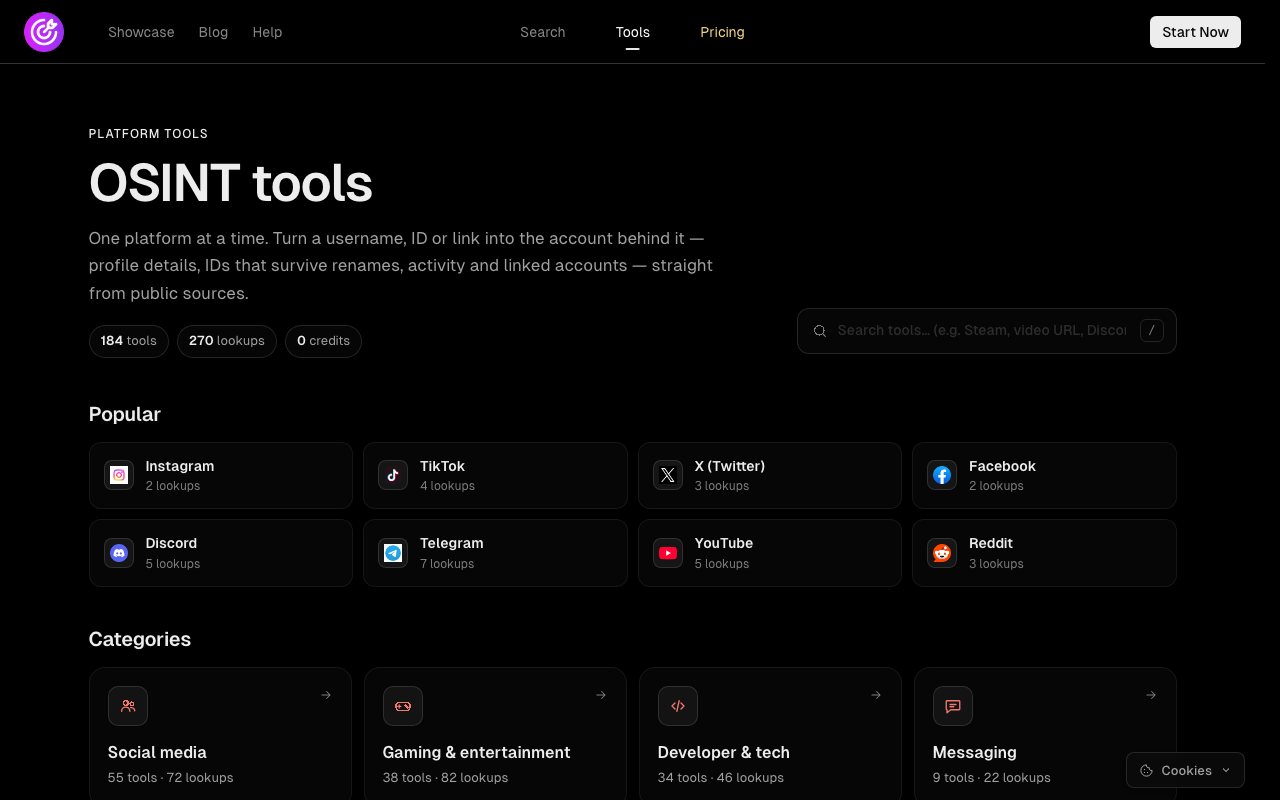
- More than 180 platform tools with over 270 lookups across social media, gaming, developer, messaging, forum and adult sites. They cost no credits; a free account is all you need.
- Paste a username, an ID or a link: the tool works out what it is and picks the matching lookup.
- Look for the permanent ID in every result. It survives renames and ties accounts together.
- 92 forum and community sites are checked every day and drop off the list if they stop returning data.
When one platform is the whole question
A username search answers "where else does this name exist?". It is wide and shallow on purpose. Many questions are narrow and deep instead. Is this Discord invite for the server it claims to be? Which Steam account is behind this vanity URL, and what was it called last year? Whose commits use this email address on GitHub? Which Minecraft accounts have used this name?
Each platform hides those answers somewhere different: in an API that needs a numeric ID, in page markup, in an invite endpoint, in an archive. The platform tools collect that knowledge so you can paste what you have and get one clean result.
How a lookup works
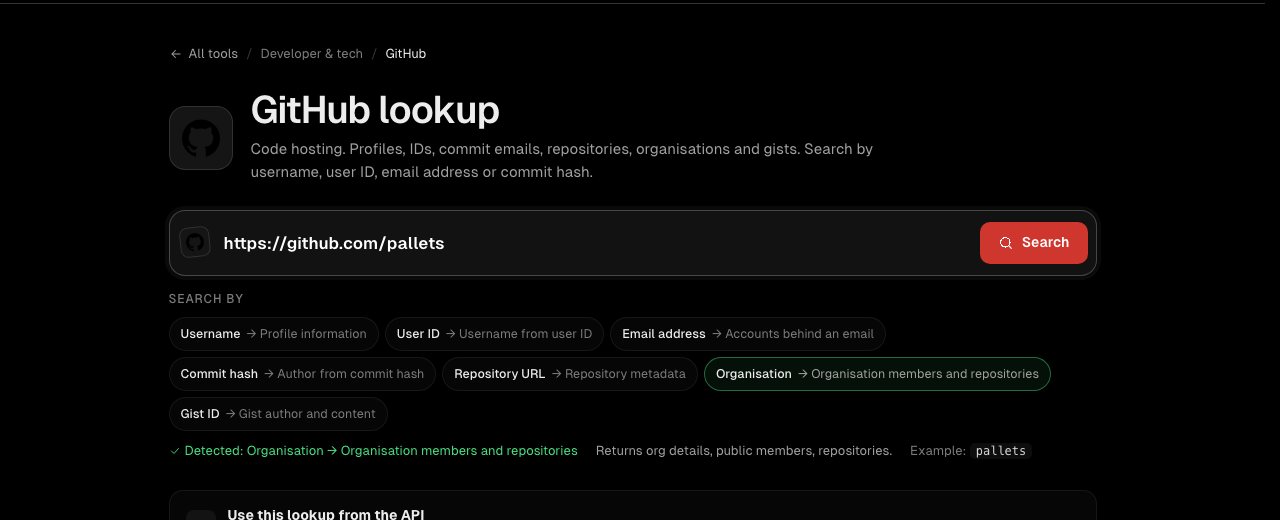
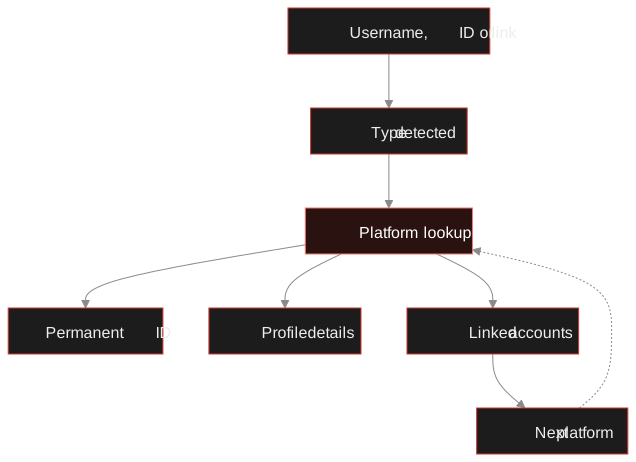
Every tool page leads with one search box. You do not need to know what you are holding: paste the value and the tool detects whether it is a username, a numeric ID, a profile link, an invite code or a commit hash, and highlights the lookup it will run. If it guesses wrong, click another lookup and it stays on your choice.
What to look at in a result
- The permanent ID. Discord snowflakes, SteamID64, GitHub user IDs, Minecraft UUIDs, TikTok user IDs. Write it down first: it is the one value that will still be true after a rename.
- Dates. Account creation dates are often encoded in the ID itself (a Discord ID contains its timestamp). A brand-new account behind a "long-standing" seller is a finding.
- Earlier names. Steam, Minecraft and a few others keep a name history. Old names are new search terms.
- Linked accounts. Websites in bios, connected platforms and email addresses in public commits. Each one is a pivot.
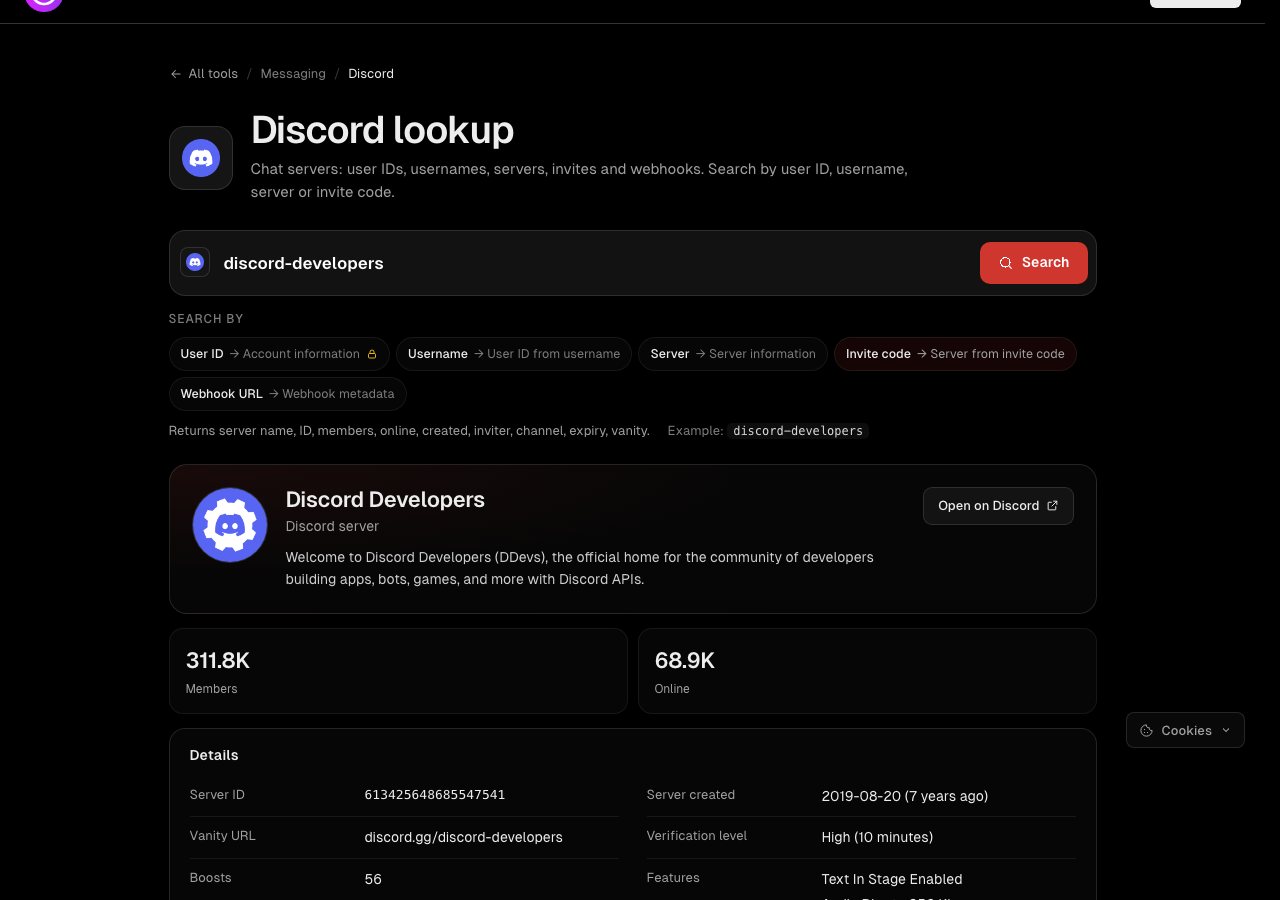
Try one now.No credits needed, just a free account. Paste a username, ID or link into any tool.
Open the toolsFive lookups worth knowing
| You have | Tool | You get |
|---|---|---|
| A Discord invite | Discord | The server behind it, its ID, size and creation date, without joining |
| A Steam custom URL | Steam | The SteamID64, earlier profile names, level, groups and friends |
| An email address | GitHub | Accounts that committed with it publicly |
| A Minecraft name | Minecraft | The UUID, name history, skins and capes |
| A TikTok video link | TikTok | The uploader, the user ID and when the video was posted |
A game trader on a marketplace calls themselves jdoe-dev and claims years of good reviews. Their Steam custom URL goes into the Steam tool: the SteamID64 shows an account created four months ago, and the name history lists two earlier names. One of those names, searched in the username search, turns up a forum thread about a scam. The trader's "years" were a renamed account. Ten minutes, no credits.
Checked every day: the forum tools
About half of the tools are hand-written for one platform. The other 92 come from the username search itself: of the roughly 1,000 sites it checks, these are the ones whose member pages show useful details, such as join date, post count, location or reputation. Once a day TraceFind runs every one of those sites again with a known account. If a site stops returning details, its tool is taken off the list until it works again. The list grows and shrinks on its own, which is why the forum category changes size from week to week.
The same lookups from code
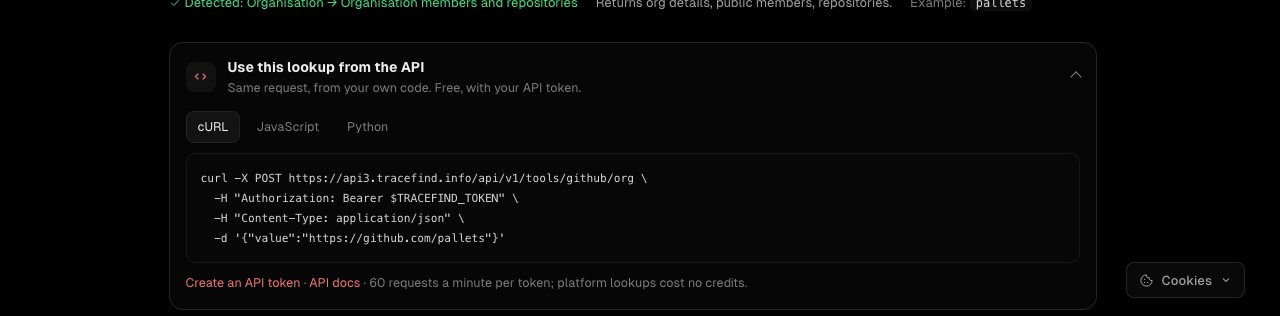
Every tool page has a "Use this lookup from the API" panel with the request for the lookup you are on, in curl, JavaScript and Python. With an API token it is one POST, at no credit cost, limited to 60 requests a minute per token.
The same tools are available to AI assistants through the TraceFind MCP server, if you would rather ask than write code.
Honest limits
A platform tool can only show what the platform makes public. Private profiles stay private, and a few lookups are partial: some platforms only answer a numeric ID with a key TraceFind does not have, and the tool page says so instead of guessing. Shut-down platforms such as Ask.fm are answered from archived copies, with the date of each copy. Results are cached for a few hours, so a change made a minute ago may not show yet.
Legal: public does not mean fair game. Look up accounts for a lawful reason, do not use what you find to contact or harass anyone, and read the legal and ethical guide if you work under the GDPR.
Frequently asked questions
Are the platform tools really free?
Yes. They cost no credits. You need a free TraceFind account, which takes a few seconds and no email address; it keeps bots from using the tools up.
Is the account owner notified?
No. The tools read public pages and public APIs, the same data any visitor can see. Nothing is posted, followed or messaged, and you never log in to the platform.
What is the difference from the username search?
The username search checks one name across about 1,000 sites to find where it exists. A platform tool goes deep on one platform: permanent IDs, profile details, activity and linked accounts, from a username, an ID or a link.
Why does a user ID matter more than a username?
Usernames can be changed or taken over by someone else. The numeric or internal ID stays with the account, so it ties old screenshots and links to the same person even after a rename.
Can I use the tools from code?
Yes. Every lookup is available at POST /api/v1/tools/{service}/{lookup} with an API token, at no credit cost. Each tool page has an API panel with ready-made curl, JavaScript and Python.
Keep reading
-
 Guides
Username OSINT: How to Find Accounts From a Username
Enumerate accounts from one handle, weed out false positives and prove that two profiles belong to the same person.
-
 Tutorials
TraceFind API Tutorial: Run Searches and Fetch Reports from Code
Create a token, run a search with curl, Python or Node, poll for the result, handle 429s and export reports. Real endpoints and limits.
-
 Tutorials
Use TraceFind in Claude, Cursor and Other AI Assistants (MCP)
Add TraceFind as an MCP server and let Claude, Cursor or VS Code run searches and read your reports when you ask.