 TraceFind
How to Check If Your Email Was in a Data Breach
A shop you bought socks from in 2019 emails to say it has had an incident. Is your bank in danger? Is someone reading your mail? Almost certainly not, but it is worth ten minutes to be sure. This guide shows how to find out which breaches include your address, how to read them, and what to fix first.
- If you have used an address for a few years, it is very likely in at least one breach. A hit means a service was compromised, not that your accounts were.
- What decides the risk is a leaked password you still use somewhere. Check that first, before the other details.
- Fix your email account first, then reused passwords, then turn on 2FA. The order matters.
- One check goes stale. Recurring checks catch the breaches disclosed next year.
- Only check addresses you own or are responsible for.
Just want the answer? The data breach check looks your address up in more than 16 billion breach records.
The email that says "we had an incident"
It arrives on a Tuesday, from a shop you bought socks from in 2019. "We recently discovered unauthorised access to a database." Your stomach drops a little, and then you do what most of us do: nothing, because the email does not say what to do. Is your bank account in danger? Is someone reading your mail?
Almost certainly not, and this guide is the calm version of that email. It shows how to find out which breaches include your address, how to read what you find, and what to do next in order of priority. You will need about ten minutes and, ideally, your password manager.
What counts as a data breach
A data breach is any incident in which data held by a company ends up with people who should not have it. For your email address, the incidents that matter fall into a few types:
| Type | What happens | Typical exposed data |
|---|---|---|
| Database breach | An attacker copies a service's user database. | Email, username, name, password hash, sometimes phone, address, IP |
| Misconfigured storage | A database or cloud bucket is left publicly accessible. | Often large customer or marketing lists |
| Scraping | Public or semi-public profile data is collected at scale. | Names, profile fields, sometimes email or phone |
| Combolists | Email and password pairs from many breaches are merged and passed around. | Email plus plaintext password |
| Infostealer logs | Malware on a device collects saved browser credentials. | Site, email, password, cookies |
The type matters because it tells you what to fix. An old forum breach with a hashed password is a different problem from your current password showing up in a combolist.
How to check your email address
-
Look the address up
Have I Been Pwned is a widely used free service that lists publicly known breaches containing your address. TraceFind's email search checks 16B+ breach records from several sources and shows the date and the exposed data types for each hit. The data breach check page explains how the two compare.
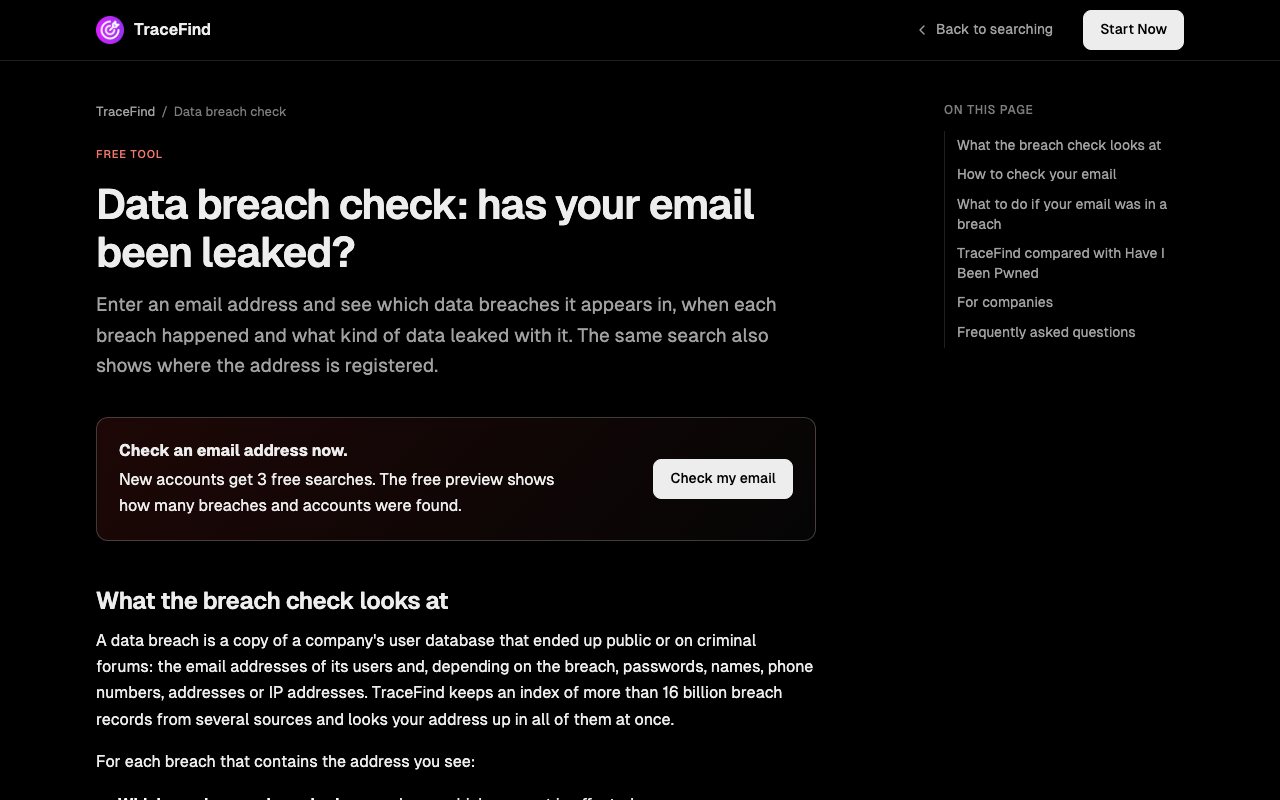
The free tool page. A free account includes 3 searches, and the preview shows how many breaches and accounts were found. -
Check every address you use
Include old addresses, aliases that forward to your main inbox, and work addresses (with your employer's permission, or through your security team).
-
Write down the date and data types for each breach
You will need them in the next section to decide what to change. Newest first is a good reading order.
-
Turn on repeat checks
New breaches are disclosed all the time, so a one-off check goes stale. TraceFind monitoring re-runs a search and emails you when something new appears.
Legal: Only check addresses you own or are responsible for. Looking up a colleague's or partner's breach history without a legitimate reason is a privacy intrusion, and for organisations it needs a lawful basis under the GDPR. Companies that want to watch staff addresses should use a dedicated setup such as TraceFind Business, whose privacy mode keeps breach specifics away from admins. More in our legal and ethics guide.
How to read what you find
Here is what a result looks like. Each row is one breach, newest first, with the date and a hint of what leaked.
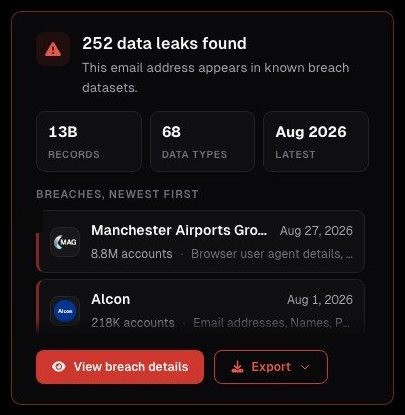
For each breach, ask three questions.
Was a password exposed?
If the exposed data includes passwords or password hashes, treat that password as known to attackers. Hashing helps, but weak hashing and common passwords are cracked routinely. Strong, unique passwords stored with a modern algorithm hold up much better, but you cannot tell from outside how a service stored yours.
Do you still use that password anywhere?
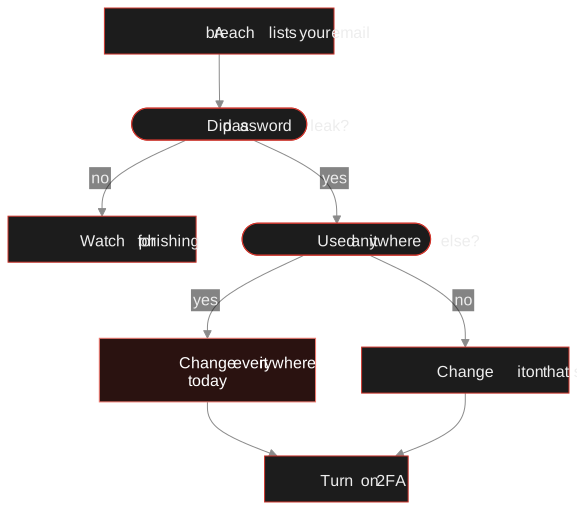
This decides whether a breach is an inconvenience or a real risk. If the password from a 2019 breach is still your password for email, banking or work, act today.
What else leaked?
Phone numbers, home addresses and dates of birth cannot be changed like a password. Their exposure mainly raises your risk of targeted phishing, so be more sceptical of messages that use those details to sound legitimate.
The same three questions, as a decision path:
Why password reuse is the real danger
Credential stuffing is an automated attack in which criminals take email and password pairs from old breaches and try them on other services. They do not need to breach your bank. They only need you to have reused the password from a hacked shopping site. Because the attempts use valid credentials, they can be hard for services to tell apart from normal logins.
The defence is simple and entirely in your hands: a unique password for every account, and a second factor wherever it is offered.
See your own exposure TraceFind's email search checks your address against 16B+ breach records from several sources and shows breach dates and the exposed data types.
Check your emailWhat to do next, in priority order
Work down this list and stop when you run out of time. The first items give the most protection for the least effort.
-
Secure your email account first
Whoever controls your inbox can reset most of your other passwords. Give it a long, unique password and turn on two-factor authentication.
-
Change every reused password
Start with any account that shared a password with a breached service, then work through financial, work and cloud storage accounts.
-
Use a password manager
It is the only realistic way to keep a unique, random password for every site.
-
Turn on 2FA where it matters
Prefer passkeys, security keys or an authenticator app over SMS codes where you can. SMS codes can be intercepted or redirected through SIM swapping.
-
Review account activity
Check recent logins, connected apps, forwarding rules and recovery options on your email account. Someone who got in may have added a forwarding rule or a recovery address to keep access.
Then, when you have a spare evening:
- Delete accounts you no longer use. A dormant account with an old password is pure risk.
- Treat messages that mention a real service you use, your phone number or your address with extra suspicion. They are not more trustworthy for it. Go to the site directly instead of clicking links.
- If financial data was exposed, contact your bank and follow their guidance. In the US you can also consider a credit freeze.
Jane checks jane.doe@example.com and sees four breaches, the oldest from 2019. Only the 2019 one lists passwords. She remembers using that password on a second site, and, worse, on her email account. So the order is clear: new unique password and 2FA on her email today, then the second site, then everything else on the list over the weekend. The other three breaches only leaked a name and an email, so for those she just stays alert to phishing.
For security teams
The same logic applies at scale. Staff who reuse a breached password on a company system create an entry point no firewall sees. A recurring check of company addresses, plus forced resets when an active password is exposed, closes that gap. Our article on employee breach monitoring covers how to do it while respecting staff privacy, and if you have a list to check in one go, see the bulk email lookup guide.
Beyond breaches: your wider exposure
A breach check shows one slice of what is tied to your address. The other slice is which services you are still registered on, and a list of forgotten accounts is often the best prompt to delete them. Our guide to finding accounts linked to an email address shows how investigators map that picture, and you can run the same steps on yourself. Protecting your digital footprint covers the cleanup side. If a breach list ever shows an address you do not recognise, verifying how the address behaves is a good first look.
Your address being in a breach is normal. A reused password is the part you can fix.
Frequently asked questions
My email was in a breach. Has my account been hacked?
Not necessarily. A breach means a service that held your data was compromised, not that someone logged in to your accounts. The risk comes from reused passwords, so change any password you used on the breached service and turn on two-factor authentication.
How often should I check my email for data breaches?
New breaches are disclosed continuously, so a one-time check goes out of date. Set up a recurring check or alerts, for example with TraceFind monitoring, which re-runs a search and emails you when something new appears.
Should I delete my email address after a breach?
Usually not. Your email address itself is rarely the problem. Secure the account with a strong unique password and two-factor authentication, change reused passwords elsewhere, and stay alert to phishing.
What is credential stuffing?
Credential stuffing is an automated attack that tries email and password pairs leaked in old breaches on other websites. It only works when people reuse passwords, which is why a unique password for every account is the most effective defense.
Can I check someone else's email for breaches?
Only with a legitimate reason. Looking up a colleague's or partner's breach history without one is a privacy intrusion, and organisations need a lawful basis under the GDPR. Check your own addresses, or use a business setup with a privacy mode for staff.
Is a free breach check enough?
For a first look, yes. Have I Been Pwned is a good free option, and a free TraceFind account includes 3 searches with a preview that shows counts only. What a one-off check cannot do is catch breaches disclosed later, so add a recurring check.
Keep reading
-
 Guides
Is OSINT Legal? Ethics and GDPR for Online Investigations
Where the legal and ethical lines run in open source investigations, and the habits that keep your work defensible.
-
 Guides
Employee Breach Monitoring: Catch Leaked Logins Early
How leaked employee credentials put company accounts at risk, and how to monitor and respond while respecting employee privacy and GDPR.
-
 Tutorials
Bulk Email Lookup: Check a Whole List at Once
Upload a CSV of email addresses, see the cost first, then read breaches, accounts and deliverability for every row.