 TraceFind
How to use TraceFind: a walkthrough of the search
You have one thing to go on: an address, a handle, a number or a website. This walkthrough follows that value through TraceFind, from the search box to a result you can save, download and build on, and explains every choice the page asks you to make on the way.
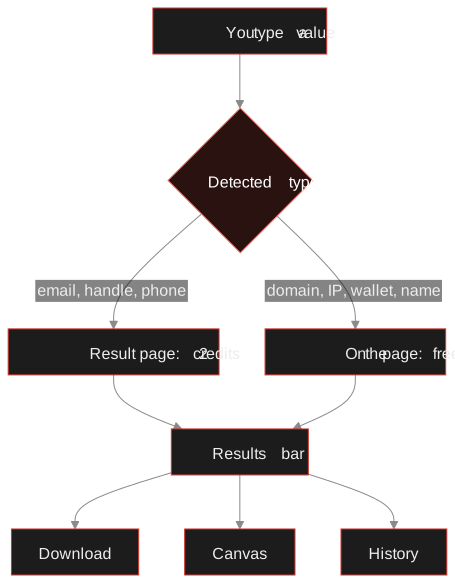
- There is one search box. Type what you have; TraceFind detects whether it is an email, username, phone number, domain, IP, network, wallet, URL, hash or a person's name.
- Email, username and phone searches open their own result page and cost 2 credits, refunded when nothing is found. Everything else is looked up on the search page itself, free for signed-in accounts.
- The price is shown in the suggestion list before you press Enter, and so are your earlier searches of the same value. Opening a saved result costs nothing.
- Every result has the same bar on top: download the data, or open it on the investigation canvas. Every search lands in your history.
One box, many kinds of input
Say a stranger offered to buy your old camera and sent a payment link from jane.doe@example.com. Or a new supplier's website, example.com, looks a little too fresh. Or a number, +49 151 00000000, keeps calling. You do not need to know which TraceFind page handles which kind of identifier. Open Search and type it.
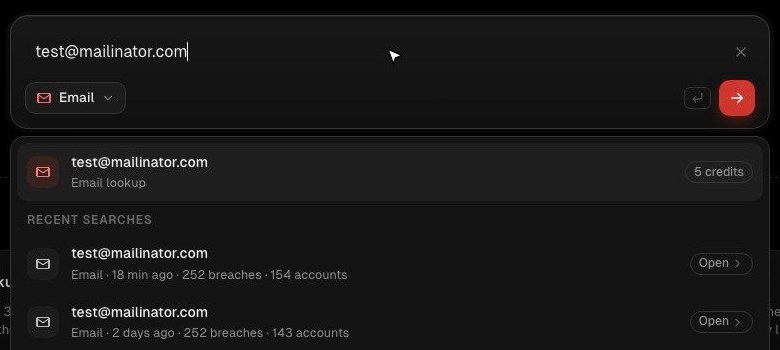
As you type, the chip under the input changes to the type TraceFind thinks you mean: Email, Username, Phone, Domain, IP address, Netblock / ASN, Crypto wallet, URL, Hash or Person. The list below the box shows what pressing Enter would do and what it costs.
How the detection decides
The rules are simple and predictable, which is the point: you should be able to guess what will happen.
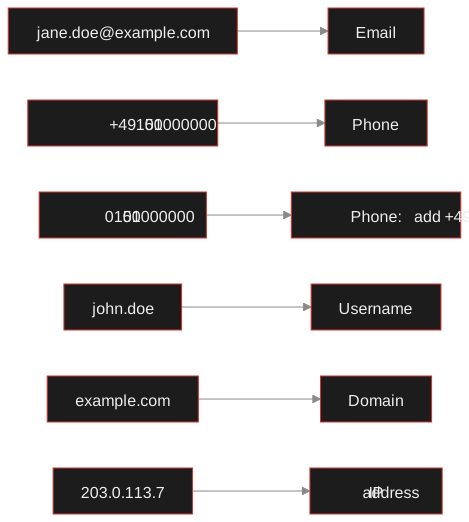
- Anything with an
@and a domain is an email address. A value starting withhttp://orhttps://is a URL. - A number with a leading
+(or00) and 6 to 15 digits is a phone number. Without the country code, TraceFind still offers a phone search but asks you to add it:0151 00000000could be German or Austrian, and the checks need to know which. - A dotted word is a domain when it ends in a common top-level domain (
.com,.de,.ioand so on).john.doedoes not, so it is treated as a username first. - Four dotted numbers are an IP address;
AS3320or203.0.113.0/24is a network. - Addresses that look like Bitcoin, Ethereum or Tron wallets (and
.ethnames) are wallets. A 32, 40 or 64 character hex string is a file hash. - Two or more words of letters, like
Jane Doe, is a person's name. A single word without spaces is a username.
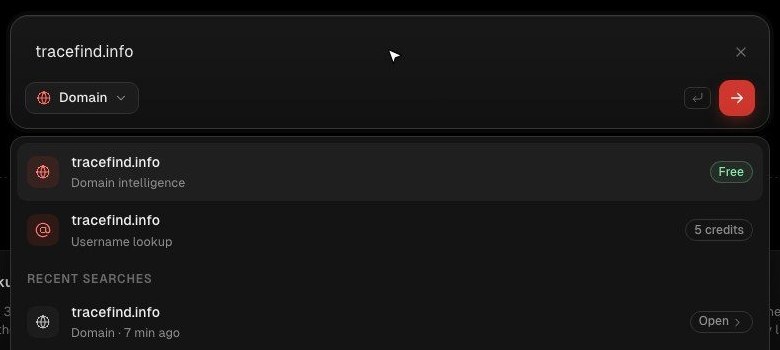
When a value fits two types, both appear in the list. A domain such as example.com is offered as a domain lookup first and as a username search second, because some people do use a domain as their handle everywhere. If the guess is wrong, click the chip (it is labelled "Choose what to search for") and pick the type yourself; the choice sticks until you clear the box.
What a search costs, before you run it
TraceFind has two kinds of search, and the badge on the right of each suggestion tells you which one you are about to start.
| Type | Where the result appears | Cost |
|---|---|---|
| Email, username, phone | Its own result page (email, username or phone) | 2 credits; refunded when the search finds nothing |
| Domain, IP, network, wallet, URL, hash, person | Right on the search page | Free for signed-in accounts (rate-limited) |
The difference is where the data comes from. An email, username or phone search checks hundreds of sites live, queries breach data and talks to mail servers and messengers: real work for every search. The lookups read public sources (registries, DNS, certificate logs, routing tables, threat lists) and are cached, so they are free.
A new account gets 3 free previews. Each comes back with how many accounts, breaches or profiles were found and the first 3 of them in full; credits unlock the rest. Credits you buy never expire.
Tip: before spending credits on a value you may have searched already, look at the Recent searches in the list. If it is there, Open shows the stored result at no cost. If you press Enter anyway, TraceFind tells you when you last searched it and lets you open the saved result or deliberately search again.
Running the search
-
Accept the terms once
The first time, the box asks you to confirm that you only search data you are allowed to investigate. It is a short checkbox and it is meant seriously; our legal and ethical guide explains what that means in practice.
-
Pick a project, if you want one
Under the box is a project picker ("No project selected"). Choose a project and the result is also added to that project's canvas, so a case you are working on collects everything in one place. Leave it empty for a quick one-off check.
-
Press Enter
For an email, username or phone number you land on its result page and the search starts at once. Results stream in while it runs: accounts appear one by one, then breaches and the mailbox check (email), or messenger checks and web mentions (phone). An email search typically takes half a minute to two minutes, a username search 30 to 60 seconds, a phone search about 15 seconds.
For the other types the report builds up on the search page, with a progress line naming the source it is reading.
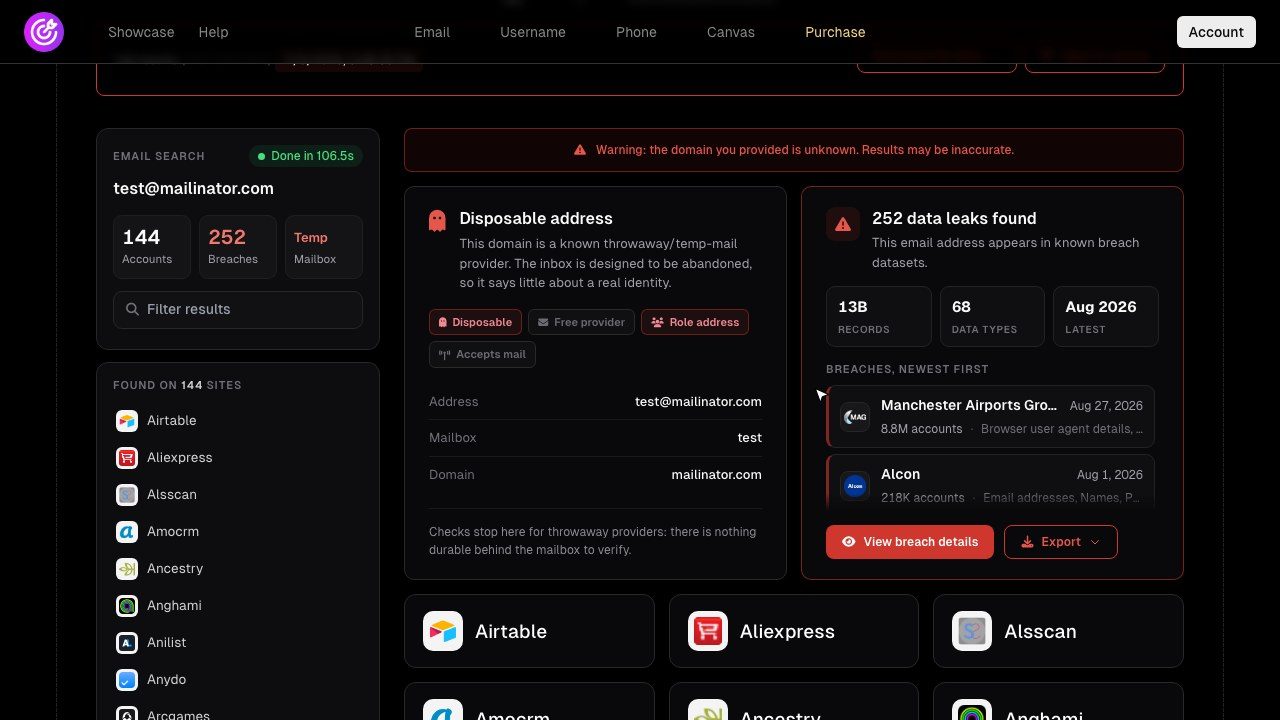
Try it with whatever you have Type an email, a handle, a number or a domain. Lookups are free; a new account gets 15 credits for three full searches.
Open the searchThe results bar: save, download, build on it
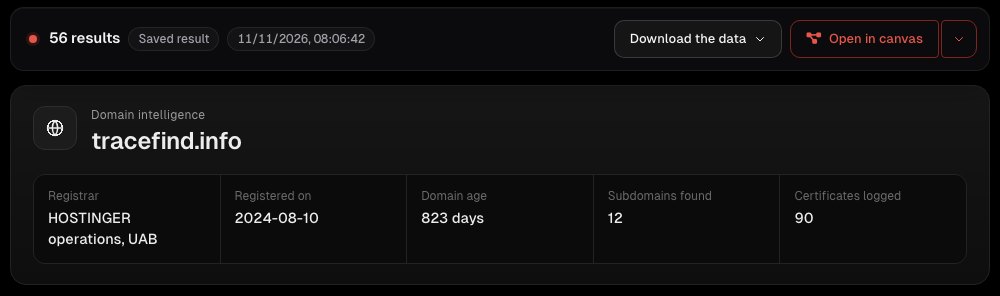
Every result, whatever its type, starts with the same bar: the number of findings, the time of the search (and "Saved result" when you are looking at a stored one), then two buttons.
- Download the data gives you the findings as a file. Email, username and phone searches export as a formatted PDF report and as JSON, CSV or TXT; lookups export their data as well.
- Open in canvas (or Add to project when a project is selected) puts the result on the investigation canvas, every finding as an entity linked to what it came from. That is where you go when one result raises the next question.
Finding a search again
Every search is saved to your account. There are three ways back to it:
- The search box itself. Type the value again and your earlier searches of it are listed with their counts and an Open button. Clicking into an empty box shows your most recent searches.
- Your account's Searches page. The full history, filterable by type and searchable by value, with every lookup type included. Opening an entry shows the stored answer without running anything again.
- The canvas. If you added the search to a project, it lives on that project's graph too, with whatever you added since.
For values you want to keep an eye on, the account dashboard also has Monitoring, which repeats a search on a schedule and alerts you to anything new; see breach monitoring and alerts. For a list of hundreds of values, the bulk search runs the same searches from a CSV.
Reading what comes back
Each result type has its own guide to interpretation, because the traps are different:
- How to read an email search result: accounts, the mailbox verdict and breaches.
- How to read a username search result: which matches are the same person and which are namesakes.
- Reverse phone lookup: carrier, messengers, temp-SMS listings and web mentions.
- Is this website legit?: reading a domain lookup.
- What an IP address lookup can and cannot tell you.
- Check Recent searches before paying for a repeat
- Correct the type chip when the guess is wrong
- Use a project for anything bigger than one lookup
- Download the data when you need a record of what you saw and when
- Search people you have no legitimate reason to look up
- Leave out the country code on a phone number
- Treat a single result as proof of identity
- Run the same list one by one when bulk search exists
Frequently asked questions
Do I need to choose the search type myself?
No. TraceFind detects the type from what you type and shows it on the chip under the box. If it guesses wrong, for example a handle that looks like a domain, click the chip and choose the type yourself.
Which searches cost credits?
Email, username and phone searches cost 2 credits each and are refunded when they find nothing. Domain, IP, network, wallet, URL, hash and person lookups are free for signed-in accounts; they are rate-limited instead of charged.
What do I get on a free account?
A new account gets 3 free previews. Each one shows the counts of what was found and the first 3 results in full; credits unlock the rest. Lookups are free either way.
Does searching the same value twice cost twice?
Only if you choose to search again. Your earlier searches of the same value are listed in the search box and on your account's Searches page, and opening a saved result costs nothing.
Is the person I search notified?
No. TraceFind never contacts the person or the number you search: no message, no call, no email. Searches only read public sources and sign-up checks.
Where can I export a result?
Every result has a Download the data button in the bar at the top. Email, username and phone searches export as a PDF report and as JSON, CSV or TXT.
Keep reading
-
 Guides
Is OSINT Legal? Ethics and GDPR for Online Investigations
Where the legal and ethical lines run in open source investigations, and the habits that keep your work defensible.
-
 Tutorials
Investigation Canvas Tutorial: Map an Email to a Full Case
A step-by-step tour of the investigation canvas: search on the graph, pivot, link and label, arrange, then export a PNG.
-
 Tutorials
Set Up Breach Monitoring and Alerts for an Email, Username or Phone
Schedule repeat checks of an email, username or phone number, and get told when a new breach or account turns up.